Discover RECPOINT Note

You focus, we take care of the rest

Beyond Note-Taking

Design

Take a closer look

Powerful noise cancellation for clear, distortion-free recording

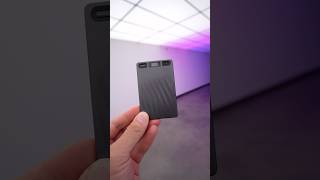
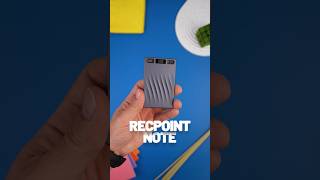
Elegant wave-patterned exterior

Pocket-sized & highly portable

0.14 inches thin, ultra-slim for effortless on-the-go use

Dual microphones for clear audio

One-touch quick recording

Gray
Dual mode recording

Three ways to use RECPOINT Note

Global Meeting

Cutting through background noise—from keyboards to AC hum—every voice is captured crisp, clear, and true to life.

See RECPOINT in real life

Real moments from real people using RECPOINT to stay present, move faster, and capture what matters

audio transcription ai
Audit-Ready Records & Data Integrity

Ensure every word is captured with uncompromising accuracy for high-stakes environments. Our solution provides a verifiable trail for legal, medical, and corporate governance

voice to text ai
voice to text ai
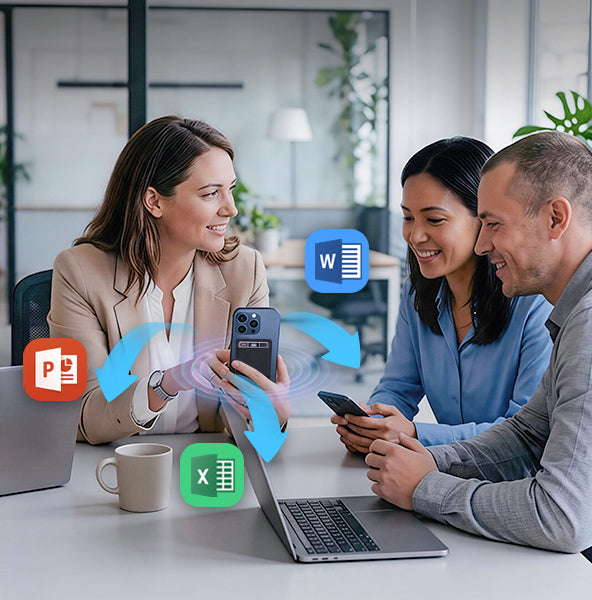
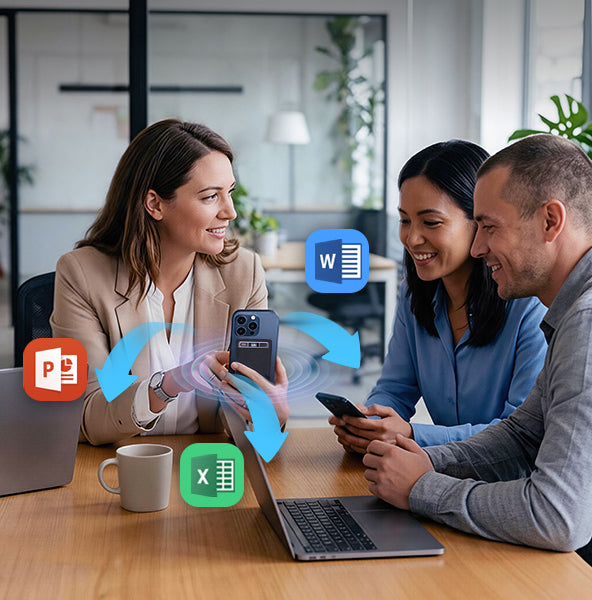
Seamless Remote Connectivity & Cloud Sync

A robust ecosystem designed for the modern, distributed team. Bridge the gap between mobile conversations and office documentation

ai audio transcription
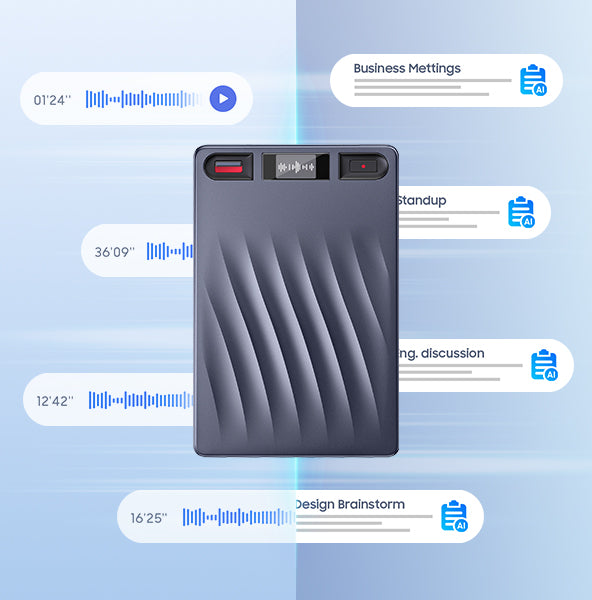
Automated Meeting Intelligence

Streamline your workflow with AI-powered insights that turn conversations into dat

From Raw Audio to Final Draft—In Seconds

One-click audio-to-text, draft generation, and key point extraction to speed up content creation for interviews, videos, and articles

ai transcribe
ai transcribe
AI-Powered Learning Assistant

Transform every lecture into a personalized study hub. Our solution captures the classroom experience and converts it into organized, accessible knowledge

AI Note Taking That Actually Works

Transcribing 150+ languages

Industry-leading accuracy across all languages

Speaker ID

Identify who said what automatically

Al Summary &Summary Templates& Mindmap

Diverse industry summary templates andmind maps help you easily organize business meetings,sales records and interview notes.

Smart Summaries

Powered by GPT-5, GPT-4.1, Claude 4.1, Gemini 3 Pro

RECPOINT AI Features

Multidimensional Summaries

RECPOINT doesn’t just record, it understands.

Ask AI
Action items
Mind maps

Manage & Transfer Files Seamlessly

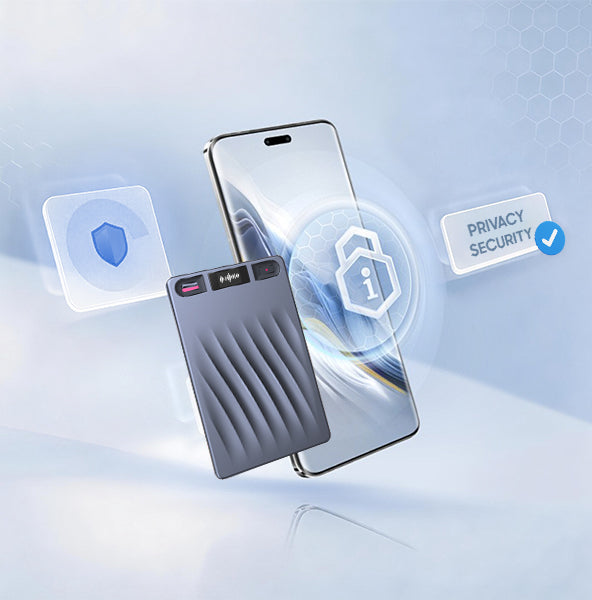
With end-to-end encryption and enterprise-grade security, your recordings are fully locked down. No leaks. No cloud vulnerabilities. Just pure privacy.

Recordings transfer to the app or web in seconds, so everything is easy to find and review.

Multiple export formats, your summaries are ready to share across your team. Easy in. Easy out.

Secure cloud backup with enterprise-grade encryption keeps your data fully protected.

Hear From Other RECPOINT Owners

@Graf-XTechReviews

@Graf-XTechReviews

@GGTECH94

@GGTECH94

@AbleAndHisTable

@AbleAndHisTable

@bestgadgetreviews2025

@bestgadgetreviews2025

Specification

Pricing

Choose the plan that grows with you.

Access all features and get the most out of your subscription.

Save ~53% billed yearly

Starter

Everything you need to get started.

Free
Free for everyone

Includes:

  • Transcribe: 360 mins
  • Translate: 150+ Languages
  • Templates: Limited
  • 64GB Private Cloud
  • Real-time Al Assistant
  • Speaker Label
  • Al Speech Enhancement
  • Merge Recordings
  • Multiple Export Formats
Get started

Pro

Unlock full Al features & extra minutes.

$16.99/mo
Billed monthly

Everything in Starter, plus:

  • Transcribe: 1,200 mins
  • Translate: 150+ Languages
  • Al Actions : ∞ Unlimited
  • Mind Maps: ∞ Unlimited
  • Templates: Full Access
  • Essentials: 64GB Private Cloud, Real-time Al Assistant, Speaker Label, Al Speech Enhancement, Merge Recordings, Multiple Export Formats
Choose Pro
MOST POPULAR

Unltd

Uncapped capacity without any limits.

$28.99/mo
Billed monthly

Everything in Pro, plus:

  • Transcribe: ∞ Unlimited
  • Translate: 150+ Languages
  • Al Actions : ∞ Unlimited
  • Mind Maps: ∞ Unlimited
  • Templates: Full Access
  • Essentials: 64GB Private Cloud, Real-time Al Assistant, Speaker Label, Al Speech Enhancement, Merge Recordings, Multiple Export Formats
Choose Unltd

*Price in USD. Local currency equivalent applies.

FAQs

Email us at service@recpoint.ai if any further questions.

1. What if the file transfer issue persists after following the initial steps?

Please provide the following details for further troubleshooting:​APP Version (check in App "Settings > About")​Phone Model & Operating System (e.g., iPhone 15 Pro iOS 18.1)​Device ID (check in App "Device Information," e.g., SN:S01506XXXXXX)​Our technical team will immediately analyze the root cause and provide a tailored solution.

2. What should I do if I encounter noise in recordings?

Due to the high sensitivity of the bone conduction microphone, some ambient noise may be captured. Our team is continuously optimizing the noise reduction algorithm. To minimize unnecessary noise, use the appropriate recording mode:​"Call Recording Mode" for phone calls or one-on-one conversations.​"Note Recording Mode" for meetings, lectures, or multi-person environments.​While audio playback may sound slightly unclear in noisy environments, it does not affect the accuracy of transcription and translation.

3. How will the team address issues like magnetic problems or slow app response?

We sincerely apologize for the inconvenience. Our team is actively investigating and addressing reported issues. Please check your Kickstarter private messages or email inbox (including the spam folder) for follow-up instructions regarding compensation and troubleshooting. Feel free to reply with any questions or need for further assistance.

4. Why can't I register with my password?

The RECPOINT AI App currently supports the following special characters in passwords: ! @ $ % ^ & * . _ -. If you use special characters outside of this set, the system may not recognize them as valid. We recommend creating your password using only the supported symbols listed above. If issues persist after adjusting the special characters, please reply to this email for further investigation.

5. Why can't the app distinguish between speakers?

The "Speaker Label" feature must be enabled before the first transcription of a record file. If the feature was not turned on prior to initial transcription, or if it’s toggled on only after transcription, speaker differentiation will not take effect. Please try these steps:​Start a new recording with at least two speakers.​Before transcribing, enable "Speaker Label" in the app settings.​Proceed with transcription and check if speakers are distinguished (e.g., Speaker A, Speaker B).​If the issue persists, please let us know, and we will ensure appropriate compensation for the inconvenience.

6. How do I register an account on the RECPOINT AI App?

Here’s a simple registration guide:​For Apple/iOS Users: We highly recommend using the "Sign in with Apple ID" option for the fastest and most convenient account creation.​For All Users (Email Address/Phone Number):​a. Select "Continue with Email" or "Continue with Phone Number".​b. You will be directed to the "Sign up or sign in with" page and prompted to enter your login details.​c. Enter your correct email address/phone number and password.​d. If your account is new, the system will automatically proceed to the registration process.​e. Confirm your email address/phone number and send the verification code.​f. Verify the code and re-enter your password.​g. Your account is now created.​Next Time Logging In (Email/Phone Number):​a. The system will automatically verify if your account is registered.​b. If registered and the password is correct, you will be directed to the Function Home Page.

7. How do I bind my RECPOINT NOTE device to the app?

Please follow these steps carefully:​Download the App: If not already done, download the latest version from our official website or the Apple Store.​Log In & Connect:​a. Open the RECPOINT AI app and log in to your account.​b. Tap the "Connect" button in the upper left corner of the screen.​c. The app will begin searching for nearby devices.​Activate Your Device: Press the record button on your RECPOINT NOTE to activate it and make it discoverable while the app is searching.​Complete the Binding Process: Select your device from the list in the app to finish binding.​If you still can’t bind the device, please provide:​Screenshots of any error messages.​A screen recording of the entire process if there’s no error but the device doesn’t connect.

  • 5 stars: 74 (84%)
  • 4 stars: 11 (13%)
  • 3 stars: 2 (2%)
  • 2 stars: 1 (1%)
  • 1 star: 0 (0%)
D
Dreamer
Compact

I’ve been using this little AI voice recorder to jot down notes and capture quick conversations, and it’s been reliable. Its compact size makes it easy to slip into my pocket or a small bag, and the sturdy metal casing feels solid without weighing me down. Starting a recording is as easy as pressing a single button, which is nice when I’m in a rush. The sound quality is impressive—crisp and clear, with voices coming through naturally even if there’s some background noise. I appreciate how effortlessly I can transfer files to my computer, and there’s plenty of storage for all my recordings. The battery life is great, lasting through several sessions, and it charges up quickly when I need it. I’ve also given the AI transcription a try, and it works seamlessly through the app, turning my recordings into well-organized notes in various languages. Overall, it’s a solid recorder that blends traditional recording with some smart features.

E
Evelyn
Convenient voice recorder

I’ve been using this little recorder for about a week, and it fits so easily into my daily routine. It’s incredibly light and small, so I can slip it in my purse and forget about it until I need it. The recordings have been clear, even with background noise from my kids or when I’m outside. What I really like is how the app organizes everything for me—transcripts, labels, and summaries show up instantly, which makes meetings and calls a lot easier to revisit. The setup was simple, and the connection to my phone has been smooth every time. I haven’t used every feature yet, but the translation and summary tools are nice to have. Overall, it’s a convenient little device that helps me stay organized without adding any extra hassle to my day.

A
Angel
save so much time for me

Using the recorder for a full week of classes and back‑to‑back meetings showed me how much time I can save when notes write themselves while I focus on the speaker. I hit record, kept the device on the table, and the noise cancelling picked speech up cleanly even with side chatter, which helped the text look clear when I opened the app later. Transcripts came through in short order and the built‑in summary pulled out action items and topics so I could scan key points instead of scrubbing through audio. I tested it with two languages in the same session during a guest lecture and the multi‑language support kept up, giving me a readable draft I could clean up in minutes. The deep analysis tools were a nice touch during exam prep, since I could ask follow‑up questions on a section and get a compact answer without replaying long clips. Storage space was more than enough for a busy week, and file sync to the phone felt smooth; I liked knowing I could keep a local copy and also back up to the cloud with end‑to‑end encryption so my notes stayed private across devices. For interviews, I set it next to the phone on speaker, captured the call, and walked away with a transcript and a short outline ready to share with my study group; that simple flow let me keep my hands free and my focus on the conversation rather than on typing.

I
Icy Iris
Excellent Smart Recorder with Impressive AI Features

I’ve been using the RECPOINT Note Digital Voice Recorder for a few days now, and I’m genuinely impressed by how advanced and reliable it is. It’s not just a simple recorder — it’s a powerful AI-powered tool that makes note-taking and meeting documentation incredibly easy.

The AI transcription and summary features are especially helpful. After recording, it automatically transcribes the conversation with amazing accuracy and even summarizes the key points. This saves me a lot of time when reviewing long meetings or interviews.

Another standout feature is the multilingual support. With over 110 languages supported, it can even translate recordings, which has been super useful during international meetings.

The sound quality is clear and crisp thanks to its noise-cancelling technology, even in busy environments. I also appreciate how compact and lightweight it is — easy to carry anywhere. The battery life is excellent, lasting through multiple long sessions without needing a recharge.

The RECPOINT app control is convenient too, letting me manage recordings and access AI analysis right from my phone.

Overall, this isn’t just a recorder — it’s an intelligent, all-in-one digital assistant for lectures, meetings, and interviews. Highly recommended for anyone who needs a reliable and smart recording solution!

d
da fu and Peter
Pair it with the app to unlock even more features!

"I’m practically a multilingual pro now, even if it’s not simultaneous interpretation!

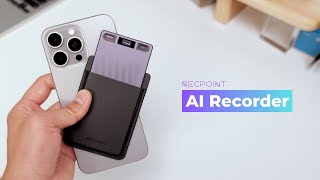
This AI Voice Recorder has boosted my language skills. The included magnetic case sticks securely to the back of my iPhone.

It charges via magnetic connection, which works well, but I think wireless charging would make it even better.
One tap to start recording, and the OLED screen shows real-time status—super straightforward.
Pair it with the Recpoint app to unlock more features, and file syncing is quick and seamless.
Translating transcribed content takes a little time, but a 3-minute audio clip only takes about 1 minute to process. I love that it lets me export directly to TXT and DOCX formats; it’s so convenient. For any setup issues, the app’s smart assistant has all the answers right away.

I even tried asking the AI to tell a story—it was really hilarious!"

T
Tomas
Clear recording and easy summaries

I sometimes have trouble keeping up with my lecture notes, and important explanations can slip past me. This recorder takes away the worry of missing important points in class. It records clearly and removes background noise, so I only hear the teacher’s voice. Listening back is very clear, and I can focus on understanding instead of trying to catch every word. The feature I find most useful is that it converts recordings into text summaries. Reviewing lessons is much faster, and organizing my notes feels simple and structured. Occasionally, when lectures include foreign languages, it translates them accurately, which has been a huge help during international sessions. The recorder is easy to carry, and I often stick it magnetically to the back of my phone during class. Instant recording and voice control make starting and stopping simple. The companion app allows fast transfer, secure storage, and extra features like keyword extraction and task lists, helping me stay organized. I understand lectures more clearly now, and looking back over the content is a breeze.

H
Hammie Fraser
Handy recorder with accurate transcription

I’ve been using this AI voice recorder for a little while now, and it's been pretty useful for my meetings and notes. I love that it can transcribe and summarize my recordings automatically, so I don’t have to listen through long meetings again. The app makes transferring files pretty quick, and I really like how I can keep everything organized without much effort.

I’ve also tried the deeper AI analysis features, and they actually pull out useful points that help me keep track of tasks. The recorder itself is simple to use with the one-touch button, and the screen shows everything I need without feeling complicated. It feels nice knowing my files stay private with the local and cloud backup setup. Overall, it’s been a really smooth experience and has made keeping up with notes so much easier for me.

B
Betty
Smart AI Voice

Previously, during interviews and lectures, I would bury my head in notes, frantically trying to remember everything, afraid of missing a single sentence. Now, I can look up, gaze into the other person's eyes, and truly immerse myself in every intellectual exchange. Because it remembers everything for me and extracts the essence. The warmth of technology allows us to focus more on the "human" aspect.
Afraid of fleeting inspiration? Now, I can share any idea with it anytime. Deep noise reduction ensures that even during a noisy commute, it clearly captures every spark of thought. It's my most reliable "external brain," keeping my creativity flowing.
Give your time back to what matters most. Say goodbye to the agony of repeatedly listening to recordings and manually organizing. A few minutes of AI analysis saves me hours. This ease is the greatest kindness technology brings me.

l
lUciky
Compact Recorder with Smart Features

This AI voice recorder is a practical device for capturing lectures and meetings. The AI transcription works accurately in multiple languages, and the app control is intuitive. I appreciate the compact design and data encryption for privacy. The 64GB storage is ample for daily use. It's a useful tool for students and professionals, providing clear audio and efficient text conversion without complications.

A
Angel
Powerful functions??

This AI voice recorder card is highly functional, offering clear recording quality and effective noise cancellation. With built-in AI transcription and summarization, it automatically converts meetings or lectures into accurate text and concise summaries, saving a great deal of review time. The AI can also extract keywords, generate to-do lists, and create mind maps, making it ideal for research, interviews, and meeting notes.
The companion mobile app is smooth and easy to use. After offline recording, you can quickly transfer files once the app is opened. For online recording, files are automatically uploaded and synced. The device supports end to end encryption and cloud backup, ensuring full data ownership and security. The 64 GB large storage holds hundreds of hours of audio and supports transcription and translation in over 100 languages, making it very convenient for international meetings or travel.
The magnetic card design is extremely convenient. You can simply attach it to the back of your phone if your case has a magnetic ring. If not, an extra magnetic ring is included in the box. The leather case is finely crafted with a pleasant texture, adding both elegance and protection.

A
Alex Wong
A great tool for note-taking

This AI voice recorder is a great tool for capturing meetings, lectures, and interviews, especially in settings where cellphone use is restricted. The AI-powered functionality makes it easy to generate minutes and summaries, saving time on note-taking. The transcription feature supports multiple languages and worked well in the 3 languages I've tested. Recording quality is clear, and the stylish, compact design fits well in professional environments. In summary, it is a convenient and effective device for accurate, organized recording and transcription during conferences or meetings.

J
Jamie
Easy and Reliable Voice Recorder for Meetings

I have been in a lot of meetings lately, so I started using the RECPOINT NOTE Voice Recorder. It is very light, a little smaller than my phone, and easy to carry everywhere. Recording is simple, just press one button, and the OLED screen shows battery, recording time, and sound waves clearly. After recording, files can be uploaded to the app or my computer and quickly turned into text. This makes organizing meetings and lectures much easier and saves a lot of time compared to listening again. With 64GB of storage, space is never a worry, even during three days of meetings. The recorder also supports translation, so I can convert recordings into different languages when needed. Overall, the RECPOINT NOTE is a simple, efficient, and reliable tool for recording and organizing notes, and it helps a lot with work.

W
Wilyy
work and study

I keep this AI Voice Recorderin my backpack for college classes, It does a good job of blocking out noise, can hear every word clearly even in loud classes.
I write down my notes and then send them to the app. It's easy to review my notes with the AI summary. I've also used it at work during team meetings. can keep track of ideas without having to write them down all the time. It's great for meetings where people from all over the world speak because it works with more than 110 languages.
it is easy to carry. with 64GB of storage, I don't have to worry about running out of space. can use the battery all day. is easy to use, fast, and flexible, Handling meetings, interviews, and learning is a lot easier now.

K
Katarina Petrovic
Easy note taking recorder

I started using this voice recorder for meetings and the part that stood out to me is how simple it is to carry because the body is light and fits easily into a small pocket. The recordings sound clear when I play them back and the screen makes it easy to check the files I saved. I like using the app since it helps me organize my notes without having to scroll through long lists. The large storage gives me plenty of room for different sessions and I can start a new recording quickly when I need it. It has made taking notes easier on busy days and fits well into my work routine.

L
Laura Johnson
Smart tool for daily notes

I use this recorder every day and it makes note taking much easier because the sound it captures is clear even when the room is a bit noisy and the storage space gives me enough room for long meetings lectures or interviews and the device starts quickly so I can record important moments right away and it has become something I rely on whenever I need to remember details from work or daily life and the simple setup also helps me use it without any trouble and it feels like a small helper that lets me focus on listening instead of worrying about missing information

V
Vivien B.
smart little recorder

This AI Voice Recorder has made easier for me to meetings and interviews. It does work for me while I'm on the phone or in class. The sound is clear even when there is a lot of noise. It's small enough to fit in my pocket or bag .The AI transcription and summary are my favorite parts. I can share something I recorded with the app, in a few minutes, it gives me a neat, correct transcript and a short summary. It even works with more than one language. I was in a meeting with people from all over the world. The app's interface is also simple to use, and I can change the settings for records from my phone. I've used it for interviews, client meetings, It save a lot of time when I had to write reports or go over notes later. If you study or work from home, this little recorder is very useful.

K
K N
Slim voice recorder with good recording quality

This voice recorder has served me pretty well when attending university lectures and with the free plan, is enough for my needs. It is very easy to use and the app holds the functionality for the AI features. The microphones on this are accurate and pick up voices clearly and negate background noise. For its small size, it can be carried around without the need for a bag if that is the case. Battery life is the trade-off for the portability but can run for a couple hours without issue.

C
Crystal Lee
Very useful tool for meeting

The AI Voice Recorder by RECPOINT has quickly become one of the most essential tools in my daily workflow. It��s a perfect example of how far technology has come��compact, intelligent, and incredibly powerful.

What impresses me most is the deep AI analysis and transcription accuracy. Whether I��m in a meeting, interview, or conference, the device captures every detail with remarkable clarity. The noise-cancelling feature makes a noticeable difference, especially in busy environments, and the 110+ language support is a game changer. I frequently collaborate with speakers from different countries, and this recorder��s ability to translate and summarize conversations in real time has saved me countless hours.

The companion mobile app control is intuitive and makes managing recordings effortless. With 64GB of storage, I never worry about running out of space, even during long sessions.

I��ve used this device in multiple meetings, and now I can walk in confidently without taking extensive manual notes. The transcriptions and summaries are accurate, clean, and ready to use.

Overall, the RECPOINT AI Voice Recorder is not just a recorder��it��s a productivity booster. Highly recommended for professionals, students, and anyone who wants smarter, more efficient note-taking.

M
Michael
Quality

Very good quality

E
Emma
Makes work a lot easier.

This digital voice recorder has truly made my work life easier. I often attend meetings, record calls, and interview clients, and this device has quickly become an essential tool.

The sound quality is crystal clear, and the noise reduction works really well- even in busy offices or cafes. I��ve used it to record conversations in both English and Spanish, and the transcripts are impressively accurate, saving me a lot of time on notes and summaries.

The summary feature is a huge time-saver. Instead of going through long recordings, I can get a clear overview of the key points and action items in seconds. With 64GB of storage and the easy-to-use app, managing recordings has never been simpler.

Using this recorder has made keeping track of meetings and calls way less stressful . I feel a lot more organized, and I don��t worry about missing anything important anymore.

B
Brian T. Welch
Good but surprises

Nice but requires subscription to get all the features.

J
Julian Rodriguez
Clear Sound and Smart Features

This is the first time I’ve used this kind of voice recorder, and it meets my needs well. It’s well made, and the size is true to the description — small enough to fit easily in my pocket, so I can carry it anywhere. The build feels sturdy, and the buttons are simple to use, making it convenient for daily recording.
I’ve used it to record several meetings, and the sound quality is clear and easy to understand. The device reduces background noise effectively, which helps capture voices more accurately even in a busy environment. Playback is smooth, and files are easy to transfer to my computer when needed.
I also like the AI function. It saves time when I need to review or share important parts later. The battery lasts a long time and recharges quickly, so it’s ready whenever I need it.

B
Blackmo
Great for Daily Use

I’ve been using this AI voice recorder for everyday tasks and it’s been really convenient. The audio comes through clearly with the dual microphones, and the 360° pickup helps capture conversations from any direction. The transcriptions show up fast in the app and I like that I can export the files in different formats depending on what I need. The battery lasts a long time and the storage is more than enough for long recordings. The real time translation feature is a nice extra and works well. It attaches magnetically to my phone, so I never forget it. It’s a reliable and easy to use tool for recording and organizing information.

A
Avery
Great Tool for Meetings and Research

I’ve been using this recorder for work meetings and research interviews. It’s amazing how quickly it transcribes everything into text and even creates summaries, so I can focus on the discussion instead of taking notes. The one-touch recording and voice commands make it easy to use while multitasking. I also like that files can be managed through the app and backed up securely. The large storage means I don’t have to worry about running out of space, and the AI features help me pull out key points efficiently.

Shop with Confidence at RECPOINT

Up to 30-Day Returns

Customers can request a return within 30days of receiving their product.

Fast Shipping

All orders are processed within 3-5 business days.

12-Month Warranty

All products are covered by a warranty service

Secure Payment

Pay by debit or credit card, PayPal, or othersecure payment platform