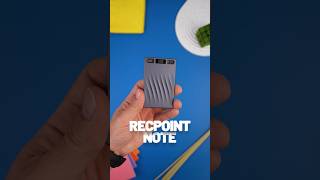
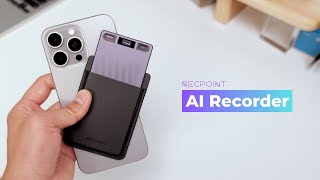
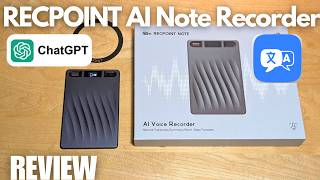
RECPOINT Note AI Voice Recorder

4.8' (88 reviews)
Sale price $129.00 USD Regular price $149.00 USD
Save $20.00

Come with free 24-month 3000 min AI transcription

No subscription required

Fast and Free Shipping

Core Features & Benefits

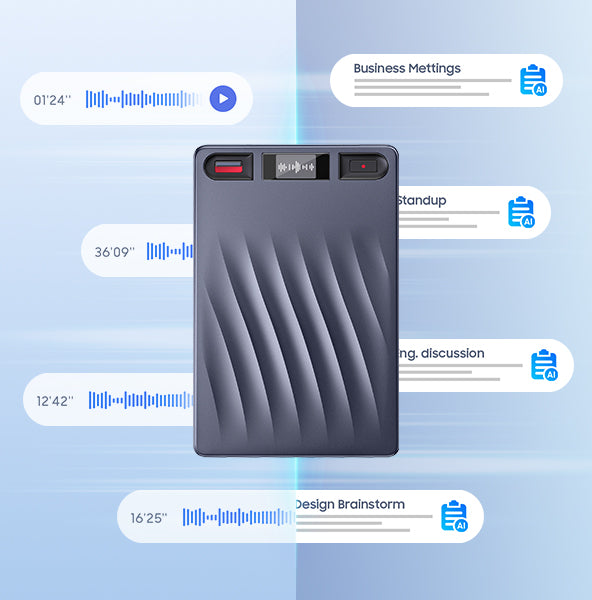
  • Advanced AI Transcription: Seamlessly convert speech to text and simplify your workflow. Go completely hands-free while our AI handles the heavy lifting with industry-leading accuracy.
  • Global Translation (150+ Languages): Break down communication barriers. Our AI-powered engine provides high-fidelity translation across 150+ languages in real-time.
  • Smart Speaker Label Recognition: Perfect for interviews and board meetings. The system accurately identifies and labels different speakers, ensuring your transcripts are organized and easy to follow.
  • Customizable AI Summaries: Don't get buried in transcripts. Use customizable templates to generate concise meeting minutes, lecture notes, or executive summaries.
  • Interactive Mind Mapping: Visualize the big picture. Our software automatically maps out viewpoints and key themes into intuitive Mind Maps for better brainstorming.
  • Multimodal Input: Capture audio, note, and images seamlessly. Use Press-to-Highlight to tag key moments for instant context.
  • Ultra-Slim Design:With 0.14" body and featherlight 1.16 oz design.Powered by 2 MEMS + 1 VPU, it captures crystal‑clear audio from up to 16.4 ft away.
  • Powerful Performance:With 30 hours of battery life and an InstantView Display for at‑a‑glance status, it’s always ready to record anytime, anywhere.
  • Smart Dual-Mode Recording:Never miss a word. The RECPOINT Note automatically switches between Phone Call and In-Person modes, ensuring seamless, distraction-free recording for every scenario.
COLOR: Gray
Choose your plan: RECPOINT Note
RECPOINT Note AI Voice Recorder
$129.00 USD
Gray / RECPOINT Note

Payment and security

  • American Express
  • Apple Pay
  • Google Pay
  • Mastercard
  • PayPal
  • Shop Pay
  • Union Pay
  • Visa
Discover RECPOINT Note

You focus, we take care of the rest

Design

Take a closer look

Powerful noise cancellation for clear, distortion-free recording

Elegant wave-patterned exterior

Pocket-sized & highly portable

0.14 inches thin, ultra-slim for effortless on-the-go use

Dual microphones for clear audio

One-touch quick recording

Gray
Dual mode recording

Three ways to use RECPOINT Note

Global Meeting

Cutting through background noise—from keyboards to AC hum—every voice is captured crisp, clear, and true to life.

See RECPOINT in real life

Real moments from real people using RECPOINT to stay present, move faster, and capture what matters

audio transcription ai
Audit-Ready Records & Data Integrity

Ensure every word is captured with uncompromising accuracy for high-stakes environments. Our solution provides a verifiable trail for legal, medical, and corporate governance

voice to text ai
voice to text ai
Seamless Remote Connectivity & Cloud Sync

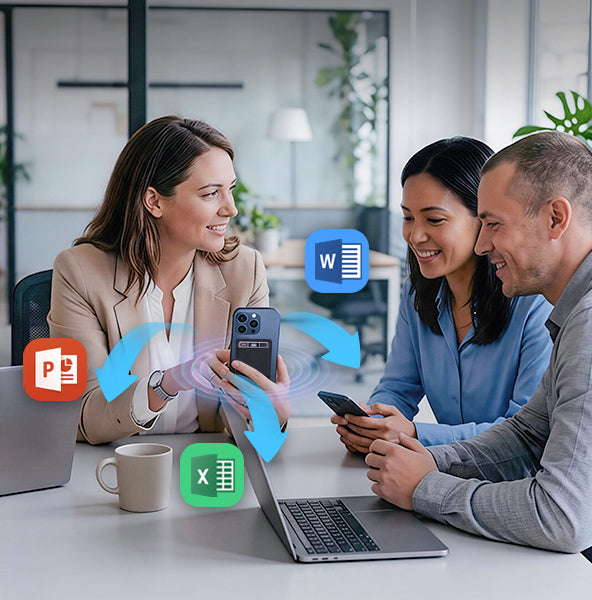
A robust ecosystem designed for the modern, distributed team. Bridge the gap between mobile conversations and office documentation

ai audio transcription
Automated Meeting Intelligence

Streamline your workflow with AI-powered insights that turn conversations into dat

From Raw Audio to Final Draft—In Seconds

One-click audio-to-text, draft generation, and key point extraction to speed up content creation for interviews, videos, and articles

ai transcribe
ai transcribe
AI-Powered Learning Assistant

Transform every lecture into a personalized study hub. Our solution captures the classroom experience and converts it into organized, accessible knowledge

AI Note Taking That Actually Works

Transcribing 150+ languages

Industry-leading accuracy across all languages

Speaker ID

Identify who said what automatically

Smart Summaries

Powered by GPT-5, GPT-4.1, Claude 4.1, Gemini 3 Pro

AI Feature

Multidimensional Summaries

RECPOINT doesn’t just record, it understands.

Ask AI
Action items
Mind maps

Manage & Transfer Files Seamlessly

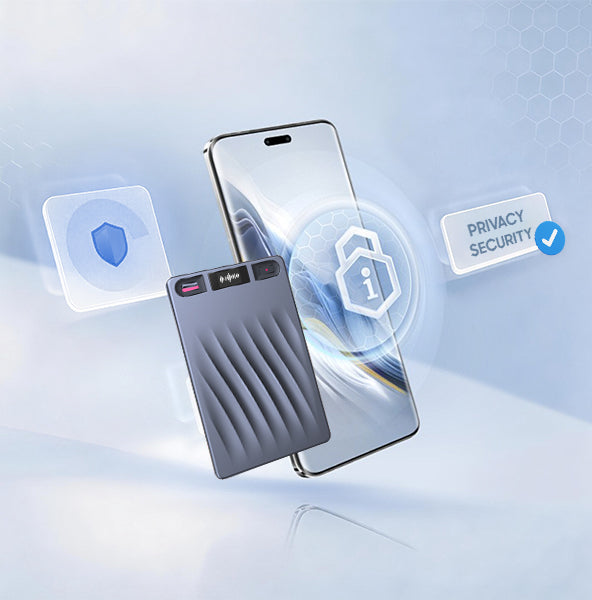
With end-to-end encryption and enterprise-grade security, your recordings are fully locked down. No leaks. No cloud vulnerabilities. Just pure privacy.

Recordings transfer to the app or web in seconds, so everything is easy to find and review.

Recordings transfer to the app or web in seconds, so everything is easy to find and review.

Multiple export formats, your summaries are ready to share across your team. Easy in. Easy out.

Multiple export formats, your summaries are ready to share across your team. Easy in. Easy out.

Secure cloud backup with enterprise-grade encryption keeps your data fully protected.

Secure cloud backup with enterprise-grade encryption keeps your data fully protected.

Specification

Pricing

Choose the plan that grows with you.

Access all features and get the most out of your subscription.

Save ~35% billed yearly

Starter

Everything you need to get started.

Free
Free for everyone

Includes:

  • 360 min transcription/month
  • 720 min translation/month
  • Limited summary templates
  • Multi-language transcription
  • Speaker labels
Get started

Pro

For individuals who use it weekly.

$9.99/mo
Billed monthly

Everything in Starter, plus:

  • 600 min transcription/month
  • 1,200 min translation/month
  • Full access to templates
  • Real-time AI assistant
  • ChatGPT AI capabilities
  • AI speech enhancement
Choose Pro
MOST POPULAR

Ultra

For power users and small teams.

$24.99/mo
Billed monthly

Everything in Pro, plus:

  • 1,800 min transcription/month
  • 3,600 min translation/month
  • Merge recordings
  • Multiple export formats
  • Professional summaries
Choose Ultra

Unlimited

For teams that need maximum scale.

$29.99/mo
Billed monthly

Everything in Ultra, plus:

  • Unlimited transcription
  • Unlimited translation
  • Custom summary workflows
  • Priority support
  • Dedicated account manager
Choose Unlimited
Starter Pro MOST POPULARUltra Unlimited
Price Free
Free for everyone
$9.99 /mo
Billed monthly
$24.99 /mo
Billed monthly
$29.99 /mo
Billed monthly
Limits
Recording transcription360 min/mon600 min/mon1,800 min/monUnlimited
Text translation720 min/mon1,200 min/mon3,600 min/monUnlimited
Summary templateLimitedFull accessFull accessFull access
Private cloud storage64 GB64 GB64 GB64 GB
AI features
Real-time AI assistant
Transcribes in 150+ languages
ChatGPT AI capabilities
AI speech enhancement
Workflow
Merge recordings
Multiple export formats
Speaker labels
App & web access
Professional summaries
Custom summary workflows

*Price in USD. Local currency equivalent applies.
FAQs

Email us at service@recpoint.ai if any further questions.

1. What if the file transfer issue persists after following the initial steps?

Please provide the following details for further troubleshooting:​APP Version (check in App "Settings > About")​Phone Model & Operating System (e.g., iPhone 15 Pro iOS 18.1)​Device ID (check in App "Device Information," e.g., SN:S01506XXXXXX)​Our technical team will immediately analyze the root cause and provide a tailored solution.

2. What should I do if I encounter noise in recordings?

Due to the high sensitivity of the bone conduction microphone, some ambient noise may be captured. Our team is continuously optimizing the noise reduction algorithm. To minimize unnecessary noise, use the appropriate recording mode:​"Call Recording Mode" for phone calls or one-on-one conversations.​"Note Recording Mode" for meetings, lectures, or multi-person environments.​While audio playback may sound slightly unclear in noisy environments, it does not affect the accuracy of transcription and translation.

3. How will the team address issues like magnetic problems or slow app response?

We sincerely apologize for the inconvenience. Our team is actively investigating and addressing reported issues. Please check your Kickstarter private messages or email inbox (including the spam folder) for follow-up instructions regarding compensation and troubleshooting. Feel free to reply with any questions or need for further assistance.

4. Why can't I register with my password?

The RECPOINT AI App currently supports the following special characters in passwords: ! @ $ % ^ & * . _ -. If you use special characters outside of this set, the system may not recognize them as valid. We recommend creating your password using only the supported symbols listed above. If issues persist after adjusting the special characters, please reply to this email for further investigation.

5. Why can't the app distinguish between speakers?

The "Speaker Label" feature must be enabled before the first transcription of a record file. If the feature was not turned on prior to initial transcription, or if it’s toggled on only after transcription, speaker differentiation will not take effect. Please try these steps:​Start a new recording with at least two speakers.​Before transcribing, enable "Speaker Label" in the app settings.​Proceed with transcription and check if speakers are distinguished (e.g., Speaker A, Speaker B).​If the issue persists, please let us know, and we will ensure appropriate compensation for the inconvenience.

6. How do I register an account on the RECPOINT AI App?

Here’s a simple registration guide:​For Apple/iOS Users: We highly recommend using the "Sign in with Apple ID" option for the fastest and most convenient account creation.​For All Users (Email Address/Phone Number):​a. Select "Continue with Email" or "Continue with Phone Number".​b. You will be directed to the "Sign up or sign in with" page and prompted to enter your login details.​c. Enter your correct email address/phone number and password.​d. If your account is new, the system will automatically proceed to the registration process.​e. Confirm your email address/phone number and send the verification code.​f. Verify the code and re-enter your password.​g. Your account is now created.​Next Time Logging In (Email/Phone Number):​a. The system will automatically verify if your account is registered.​b. If registered and the password is correct, you will be directed to the Function Home Page.

7. How do I bind my RECPOINT NOTE device to the app?

Please follow these steps carefully:​Download the App: If not already done, download the latest version from our official website or the Apple Store.​Log In & Connect:​a. Open the RECPOINT AI app and log in to your account.​b. Tap the "Connect" button in the upper left corner of the screen.​c. The app will begin searching for nearby devices.​Activate Your Device: Press the record button on your RECPOINT NOTE to activate it and make it discoverable while the app is searching.​Complete the Binding Process: Select your device from the list in the app to finish binding.​If you still can’t bind the device, please provide:​Screenshots of any error messages.​A screen recording of the entire process if there’s no error but the device doesn’t connect.

Shop with Confidence at RECPOINT

Easy Returns

30-day money back guarantee

Fast Shipping

Free delivery on orders over $100

Warranty

1-year manufacturer warranty

100% Satisfaction

Trusted by thousands of customers